Jeda ticket
v0.1.41- Entry
- When your car is parked
- Exit
- When your journey resumes
- Screen
- Android Auto, via an Android phone
- Status
- Parked use only
How to use
- Park.
- Choose a shortcut.
- Enjoy your pause.
Waiting for a pickup or charging your car?
Jeda opens YouTube, Disney+ and more on your car’s Android Auto screen while you’re parked.
Your car, once the engine stops
Your car has a big screen.
And you only use it for maps?
So let’s give it a better pause.
How to use

Jeda 0.1.41 brings Jeda Lyrics to the car screen: lyrics that follow the song you play in Spotify, YouTube Music, or YouTube on your phone. Your show still keeps going beside Maps.
Open Maps and the video carries on. The media card shows its title and thumbnail, with Pause and Play. Tap the card to return to the same spot.
A new shortcut on the car screen. Play a song in the Spotify, YouTube Music, or YouTube app on your phone and the lyrics follow along, with artwork, play controls, and a progress bar you can drag.
Turn on Enable lyrics and the current line also follows the song on the media card or your instrument cluster. Where it appears depends on your car.
After Play in car, your phone shows what is playing, with play/pause, seek, and next/previous where the website supports them.
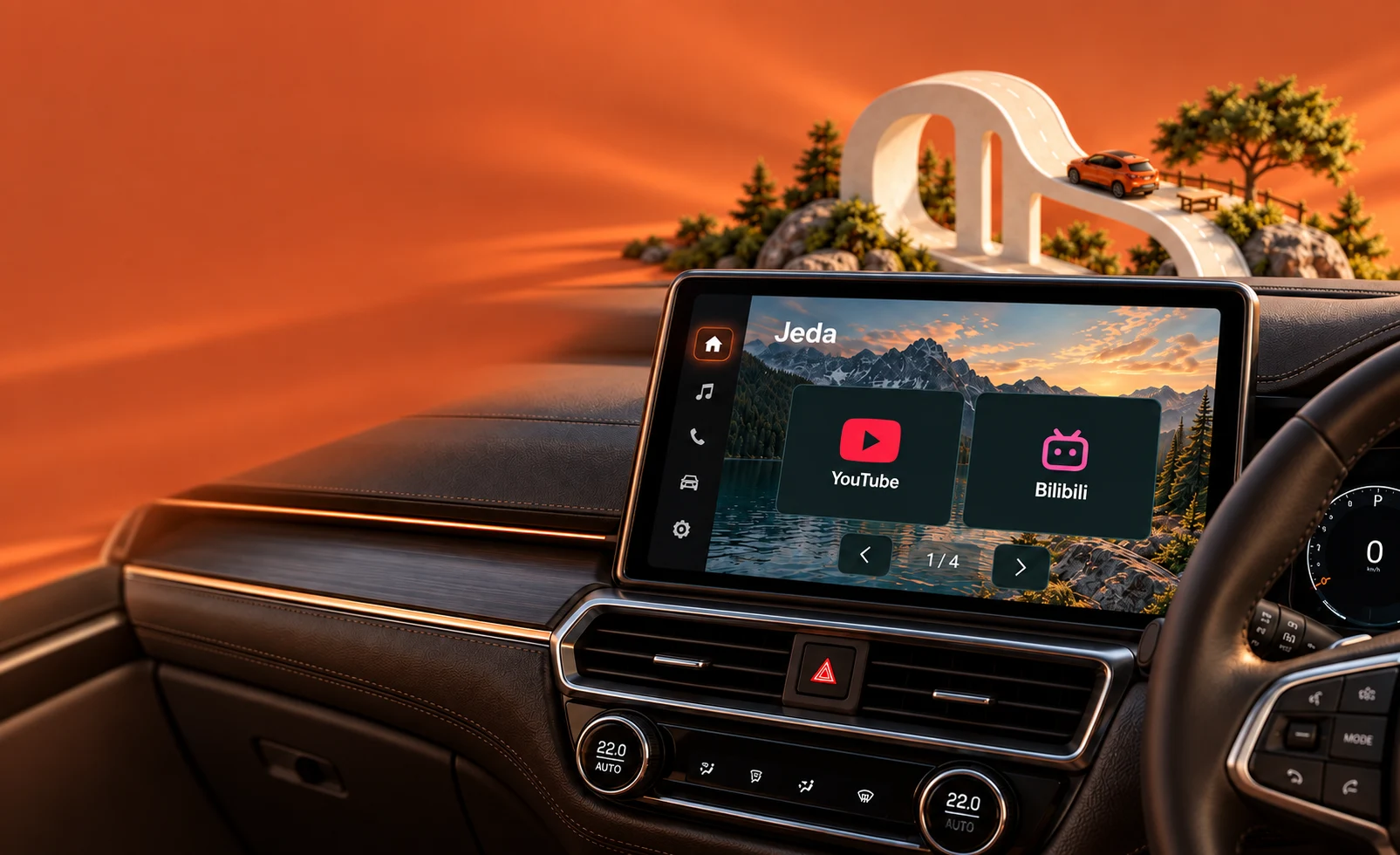
Not a simulation: Jeda plays YouTube beside Maps on a real head unit, with the instrument cluster at 0 km/h in P.
Try it in your car for 24 hours
Scroll through what Jeda does once your car is parked.
01Streaming
YouTube, Disney+, Prime Video, Bilibili, and Vidio wait in the dock, each one a tap away on the head unit. Jeda Lyrics sits right beside them.
Some services need their own account or subscription.
02Tap & play
An icon grows into a loading screen, then hands over to the website the moment it is ready, full screen on your display.
03Phone to car
Search with your phone’s keyboard, tap Play in car, and the page opens on the car screen. YouTube even keeps your place.
Open Jeda on the car screen first.
04Your shortcuts
Add a site by its address and its icon follows. Drag shortcuts into the order you like. Removed one by mistake? Undo.
05Sign in
Type passwords on your phone, not the dashboard. The car browser uses the same website profile, so you are ready when you park.
06Ad blocking
Built-in ad blocking keeps the screen on the show. It is on from the start, with a switch in Settings.
07Lyrics
Play a song in the Spotify, YouTube Music, or YouTube app on your phone and open Jeda Lyrics on the car screen. The lyrics follow the song. Switch to Maps and the current line keeps going on the media card or your instrument cluster.
Jeda Lyrics needs notification access, allowed once in Settings → Jeda Lyrics; Jeda does not read your notifications. Lyrics beside Maps are off by default, and where they appear depends on your car.

The companion for the road
A separate Android Auto companion that takes everything you set up in Jeda along for the ride.
Your shortcuts, their order, your mood, ad blocking, lyrics, the car menu style, and site preferences sync to Motion automatically.
Finish signing in to a site in Jeda and that login is copied to Motion, directly on your phone.
Switch to Maps or another Android Auto screen and the page keeps running. The media card shows what is playing, with lyrics when you turn them on.
Driver: eyes on the road. Motion follows your car’s driving restrictions. Always obey local laws.
Jeda Motion is installed separately. Some websites pause on their own when hidden.
Pick a backdrop on your phone. The car screen, its clock, and the glass dock follow.


Choose a mood, look over the dock, and tap an icon. It all runs in this browser.
A browser simulation of Jeda. Third-party services do not play content in this simulator.
The Jeda phone app is where you prepare your car screen. The preview at the top shows the head-unit layout, and every change is saved right away.
Choose from six backgrounds. Your car screen changes too, including the glass behind the dock.
One switch for each service. Hidden services stay on your phone, along with their sign-ins.
Enter an address and the name fills in automatically. Your new website appears as an icon in the car’s dock.
Try it on this phone, then check the car screen simulator. Both use the same settings.




 YouTubeMobile siteBilibiliDesktop siteDisney+Desktop sitePrime VideoDesktop siteVidioDesktop site
One package with Jeda and Jeda Motion, a one-time payment for one phone. Indonesia pays in rupiah with QRIS; everywhere else pays in US dollars.
Same apps and features in every country. Only the currency and price differ.
Launch prices end November 13. Subscriptions to streaming services are not included.


Jeda Demo is a separate app for trying Jeda on your own head unit before you buy. The 24 hours run continuously from your first activation, even when the app is closed.
A short guide for each service: what works, what does not yet, and how to try it in your car.
Used CarStream, Fermata Auto, or Screen2Auto before? Compare Android Auto video apps
Get to know Jeda. Here are the questions we hear most often.
Jeda is an entertainment launcher for Android. Save website shortcuts on your phone, then open your chosen content on a compatible car screen while parked.
Not yet. Compatibility depends on your Android device, head unit, and Android Auto setup. Support for all vehicles is not available.
No. Jeda is an Android app, so you need an Android phone with Android Auto. iPhone and Apple CarPlay can’t run it.
That’s what Jeda Demo is for. Try it for 24 hours in your own car before you buy, then buy Jeda once you’ve seen it work in your car.
Lyrics depend on how your car displays song information. Some instrument clusters show the current line; others show it only on the media card beside Maps, or not at all. On the car screen itself, open Jeda Lyrics: it follows songs from the Spotify, YouTube Music, and YouTube apps on your phone once you allow notification access in Settings → Jeda Lyrics. To also show the line beside Maps, open Settings in Jeda, tap Jeda version ten times to show Advanced, then turn on Enable lyrics. Lyrics appear when a matching song is found; song details are sent to LRCLIB to find them.
Jeda is designed for parked moments. In testing, the browser closes when driving restrictions become active and does not reopen automatically. Do not use visual entertainment while driving.
Jeda Motion is a separate companion app for Android Auto. It uses the shortcuts and settings you prepare in Jeda, receives your website sign-ins from Jeda on the same phone, and follows your car’s driving restrictions.
Yes, with Jeda Demo, a separate app that runs for 24 continuous hours from your first activation. Send your Google account email on WhatsApp to get the Google Play install link. Starting the demo needs an internet connection, each phone gets one trial, and Jeda Motion is not included.
Not for Jeda: it’s a one-time payment for one phone. Jeda only opens service websites, and some services, including Disney+ and Prime Video, require an account or subscription from that provider.
Not yet. Netflix does not play in Jeda. YouTube, Disney+, Prime Video, Vidio, and Bilibili are already built in. Message us on WhatsApp if you want to hear when Netflix works.
Tap any WhatsApp button on this page to message us. Jeda costs Rp199,000 in Indonesia and $20 elsewhere, a one-time payment for one phone. In Indonesia you pay with QRIS; outside Indonesia we send payment details on WhatsApp. See Pricing for the current offer. There is no public download on this page yet. The interactive simulator shows the interface, but it does not install an app or play content from third-party services.


